If you’re searching for the best VPN for beginners, NordVPN is our top pick for ease of use, speed, and verified privacy. For most first-time users, four options cover nearly every situation: NordVPN (best overall), Surfshark (best for households), Proton VPN (best free option with unlimited data), and TunnelBear (simplest interface for occasional use).
This guide breaks down all seven picks using criteria that actually matter to new users: interface simplicity, pricing, device limits, streaming performance, and privacy verification. We put this comparison together specifically for beginners based on 2026 industry testing and published reviews, no technical background required. You can jump straight to the comparison table or follow the guide from top to bottom.
Best VPN for Beginners: Key Takeaways
- Best overall pick: NordVPN delivers one-click connect, Deloitte-verified no-logs audits, and top streaming performance at about $3.49/month on a two-year plan (per CNET/Gizmodo pricing checks, October 2026; introductory rates may rise at renewal).
- Best for households: Surfshark supports unlimited simultaneous connections, making it the most flexible choice for families or multi-device users.
- Best free option: Proton VPN’s free tier has no data cap and no time limit, with no payment required.
- Privacy basics that matter: Look for a verified no-logs policy, a kill switch, and DNS leak protection before committing to any VPN.
- Risk-free testing: Most paid VPNs offer 30-day money-back guarantees. CyberGhost extends that to 45 days on longer plans.
- Setup is fast: Download, install, and tap connect. No manual configuration is typically required for default use with any app on this list.
What makes a VPN actually beginner-friendly?
Not every VPN that claims to be “easy” actually delivers on it. Our editorial criterion was straightforward: could a first-time user connect and be protected quickly, without reading a manual? If the answer was no, the app didn’t make the cut.
The interface test: one-click connect or forget it
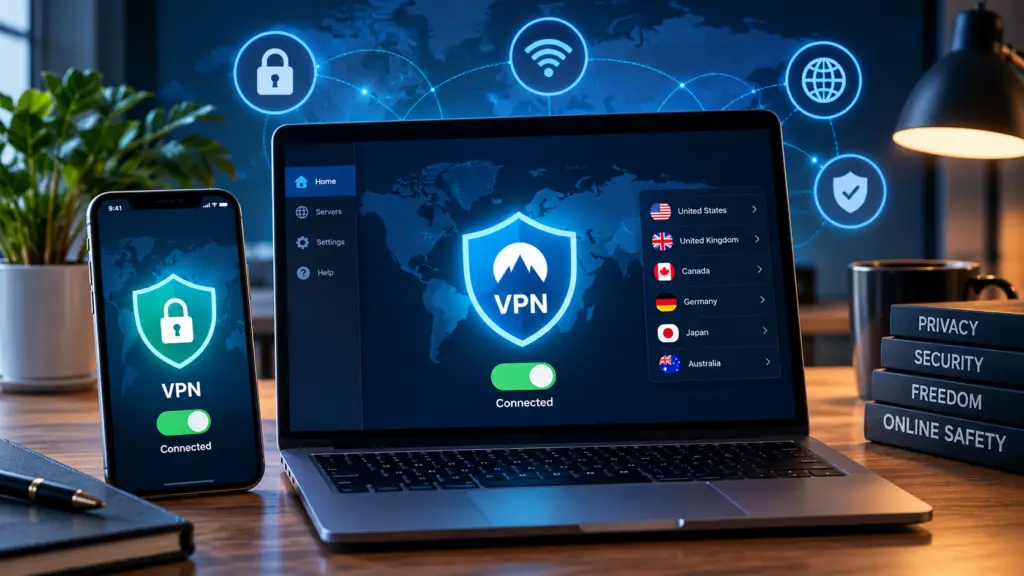
The most important feature in any easy VPN app is a prominent connect button that does the work for you. NordVPN, ExpressVPN, and Surfshark all use a large connection button that automatically selects the fastest available server. You don’t need to know what a server is or pick one manually. TunnelBear takes this even further with a map-based interface where you tap a country and connect.
Compare that to manual WireGuard setups, which require port settings, configuration files, and command-line tools. Those options are fine for advanced users but completely unnecessary for someone who just wants their connection secured on public Wi-Fi. We left them off this list for exactly that reason.
Consistency across your devices
A VPN app that looks and works the same on Windows, Mac, Android, and iOS removes a major source of confusion for new users. You shouldn’t have to relearn the interface every time you switch devices. Surfshark’s unlimited simultaneous connections make this especially useful for households running the VPN on phones, laptops, and tablets at the same time, without hitting a device ceiling.
How do these 7 beginner VPNs compare?
How the Best VPN for Beginners Options Stack Up: Price, Connections, and Streaming
* Pricing sourced from CNET and Gizmodo price checks, October 2026. Introductory prices may increase at renewal.
† Proton VPN’s free tier offers unlimited data but restricts server locations and connections compared to paid plans.
‡ Private Internet Access and Windscribe streaming figures are based on 2026 aggregated industry testing; individual results may vary by platform and region. Streaming-unblock performance can change frequently.
Which option fits your situation?
For streaming, NordVPN and ExpressVPN lead the pack. Both unblocked all nine tested platforms in 2026 performance tests, including Netflix US, Disney+, and Hulu (per Gizmodo’s 2026 streaming tests).
Surfshark is the best pick for households. Its unlimited connections make it far more flexible than the 10-device limits on NordVPN and ExpressVPN, and its long-term price is lower than both.
Proton VPN’s free tier is one of the strongest unlimited free options available, with no data cap and no payment required, a solid starting point for anyone who wants zero financial risk. For streaming or advanced features, upgrading to a paid plan unlocks more servers and faster speeds. TunnelBear wins on visual simplicity but only unblocked 2 of 9 tested streaming platforms, so skip it if streaming is a priority.
Does your VPN actually protect your privacy?
A VPN is only as trustworthy as the company behind it. The privacy claims that matter aren’t the ones on the marketing page, they’re the ones backed by independent verification. Most beginner guides gloss over this part, and it’s the section that actually determines whether your privacy is real or just marketed.
No-logs policies and independent audits
A no-logs policy means the VPN doesn’t store records of your browsing activity. The problem is that any VPN can make this claim. What separates trustworthy providers is third-party audits that verify those claims. NordVPN has undergone multiple independent reviews, including assessments by Deloitte. Surfshark has completed similar Deloitte-related audits. ExpressVPN has been assessed by KPMG, PwC, and Cure53. Proton VPN’s no-logs policy has been audited by Securitum, and Proton’s claims were further supported when a legal case resulted in no activity logs being available to hand over.
Private Internet Access has both audits and court-tested no-logs claims on record. The scope of an audit matters as much as the fact that one happened. The strongest providers publish the actual audit report, not just a press release summarizing the findings. Check that your chosen VPN does the same before you commit.
The two features every beginner needs enabled
A kill switch cuts your internet connection if the VPN drops unexpectedly. Without it, your device could briefly connect through your regular ISP, exposing your real IP address. In NordVPN, enable it in Settings under “Kill Switch.” In Surfshark, go to Settings, then VPN settings, and toggle Kill Switch on. Both apps display a clear visual indicator when the feature is active.
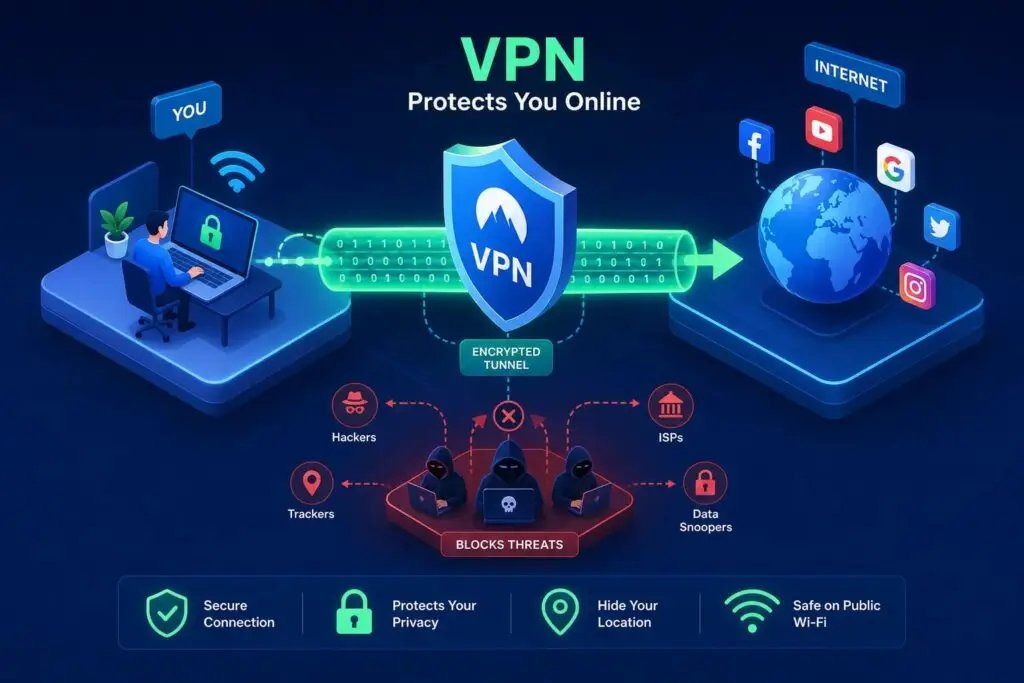
DNS leak protection ensures your browsing requests route through the VPN’s servers rather than your internet provider’s DNS. Many top providers enable this by default, but open your app settings and confirm it’s active before your first session. It takes 30 seconds and removes a common privacy gap that beginners often don’t realize exists.
Can you try one before you pay?
Here’s the direct answer: most premium VPNs charge you upfront and refund you within a set window if you cancel. Proton VPN stands out as a well-supported option for a genuinely free tier with unlimited data and no expiration date, no payment required at any point.
Free tiers vs. money-back guarantees: what’s the difference?
A free tier means you never provide payment details. A money-back guarantee is a refund policy: you pay, use the service, and request your money back before the deadline. The two are frequently confused, and the difference matters. Canceling your subscription’s auto-renewal is not the same as requesting a refund. You need to contact customer support directly and explicitly request a refund before the window closes.
Refund windows worth knowing
NordVPN and Surfshark both offer 30-day money-back guarantees, and NordVPN also provides a 7-day trial through Google Play for Android users. ExpressVPN offers 30 days with a 7-day mobile trial on some platforms. CyberGhost extends to 45 days on longer subscriptions, the longest refund window among premium providers. Norton VPN goes even further at 60 days. For anyone who wants zero financial exposure, Proton VPN’s free tier delivers unlimited data with no card required and no deadline to beat.
How to set up your first VPN in under 5 minutes
The process is straightforward and requires no technical knowledge. The steps below use NordVPN as the example since it’s our top beginner pick, but they’re nearly identical across every other app on this list.
Step-by-step: your first connection
- Go to NordVPN’s website and choose a plan, or start the 7-day Google Play trial on Android.
- Download the app for your device: Windows, Mac, Android, or iOS.
- Install the app and log in with the email address you used during signup.
- On the home screen, tap or click the large “Secure my connection” button. The app automatically selects the fastest available server.
- Check the status indicator: a green icon confirms you’re connected. Search “what is my IP” in your browser to confirm your location has changed to the VPN server’s location.
Three settings to check on day one
- Enable the kill switch in Settings. In NordVPN, it’s under Settings then Kill Switch. In Surfshark, go to Settings then VPN settings.
- Verify that DNS leak protection is active. Most apps enable it automatically, but confirm it in the app’s privacy or connection settings.
- Turn on auto-connect on startup so you’re always protected without remembering to open the app manually.
Our pick for the best VPN for beginners
The best VPN for beginners overall is NordVPN. It combines a simple one-click interface, verified no-logs audits, top-rated streaming performance across all nine tested platforms, and a 30-day money-back guarantee with an Android free trial for anyone who wants to test before committing.
For households that need more than 10 devices covered at once, Surfshark is the better fit at a lower long-term price point. If spending nothing is the goal, Proton VPN’s free tier delivers unlimited data with no payment, ever. And for users who want the most visually approachable easy VPN app available, TunnelBear’s map-based design is the easiest entry point, as long as streaming access isn’t a priority.
All seven picks on this list include either a money-back guarantee or a free tier, which means there’s no reason to feel locked into a bad choice. If something doesn’t work for you, you can exit cleanly within the refund window.
At Hagaha, we update our security software guides and beginner-friendly tool comparisons regularly. When you’re ready to explore beyond VPNs, whether that’s password managers, antivirus software, or privacy tools for your small business, our guides are a good next stop. Pick your VPN, enable the kill switch, and connect. The whole process typically takes under five minutes after downloading and signing in.
Frequently Asked Questions
Can I share one VPN account across all my household devices?
Yes, some providers allow extensive device sharing; Surfshark supports unlimited simultaneous connections while NordVPN and ExpressVPN limit you to about 10 devices. That makes Surfshark the most flexible choice for families or households with many phones, laptops, and tablets.
How can I tell if a VPN’s no-logs claim is trustworthy?
Look for independent, third-party audits and published audit reports to verify no-logs claims. We note NordVPN and Surfshark have Deloitte-related audits, ExpressVPN has been assessed by KPMG, PwC, and Cure53, Proton VPN was audited by Securitum and had legal backing, and Private Internet Access has audits and court-tested no-logs records; check that the provider publishes the full audit scope and report.
{ “@context”: “https://schema.org”, “@type”: “Article”, “datePublished”: “2026-10-26T11:02:26.621Z”, “dateModified”: “2026-10-26T11:02:26.648Z”, “headline”: “Best VPNs for Beginners: 7 Easy, Secure Picks for 2026”, “description”: “Find the best VPN for beginners in 2026. Compare 7 easy-to-use, budget-friendly options with simple setup steps and honest pros/cons. Start protected today.”, “publisher”: { “@type”: “Organization”, “name”: “Hagaha” }, “mainEntityOfPage”: { “@type”: “WebPage”, “@id”: “https://hagaha.com/best-vpn-for-beginners/” }, “image”: [ “https://hagaha.com/wp-content/uploads/2026/10/best-vpns-for-beginners-7-easy-secure-picks-for-2026-1792932443085.webp” ], “url”: “https://hagaha.com/best-vpn-for-beginners/”, “author”: { “@type”: “Organization”, “name”: “Hagaha” } } { “@context”: “https://schema.org”, “@type”: “FAQPage”, “mainEntity”: [ { “@type”: “Question”, “name”: “Can I share one VPN account across all my household devices?”, “acceptedAnswer”: { “@type”: “Answer”, “text”: “Yes, some providers allow extensive device sharing; Surfshark supports unlimited simultaneous connections while NordVPN and ExpressVPN limit you to about 10 devices. That makes Surfshark the most flexible choice for families or households with many phones, laptops, and tablets.” } }, { “@type”: “Question”, “name”: “How can I tell if a VPN’s no-logs claim is trustworthy?”, “acceptedAnswer”: { “@type”: “Answer”, “text”: “Look for independent, third-party audits and published audit reports to verify no-logs claims. We note NordVPN and Surfshark have Deloitte-related audits, ExpressVPN has been assessed by KPMG, PwC, and Cure53, Proton VPN was audited by Securitum and had legal backing, and Private Internet Access has audits and court-tested no-logs records; check that the provider publishes the full audit scope and report.” } } ] }