Disclosure: Hagaha may earn a commission from some links on this site. This article contains no affiliate links at the time of writing. See our Affiliate Disclosure.
Canva vs Adobe Express is a common choice for beginners because both tools solve the same problem: making good-looking graphics, videos and documents without learning professional design software. Both run in a browser, and both have mobile apps and free plans. Both now lean heavily on AI.
The differences that actually affect your choice are in four places:
- Plan limits.
- How each company handles AI-generated images.
- Team features.
- Which ecosystem you already work in.
This comparison uses the official pricing pages as they appeared on October 30, 2026. Prices and allowances change, so confirm on the vendor sites before you buy.
Canva vs Adobe Express at a glance
| Canva | Adobe Express | |
|---|---|---|
| Free plan storage | 5GB | 5GB |
| Free templates | 1.6M+ | 100,000+ static and video templates |
| Free stock assets | 4.7M+ photos, videos, graphics, audio | 1M+ royalty-free Adobe Stock assets |
| Brand kits (free) | 1 Brand Kit (3 colors only) | Brand kits listed as a Premium feature |
| Main paid individual plan | Canva Pro: US$120/year for one person | Adobe Express Premium: US$9.99/month, no annual commitment |
| Paid storage | 100GB (Pro) | 100GB (Premium) |
| Paid templates and assets | 3.6M+ templates; 141M+ premium assets | All premium templates; 200M+ Adobe Stock assets |
| AI allowance (paid) | “10x more AI than Canva Free” (shared monthly allowance) | 250 generative credits per month per user |
| Social scheduling | Included in Pro | 1 account per network (Free), 3 per network (Premium) |
| Version history | Not stated on the pricing page | 10 days (Free), 30 days (Premium) |
| Team plan | Canva Business: US$210/year per person | Adobe Express for teams (pricing via sales / business page) |
Sources: Canva pricing and Adobe Express pricing, both checked 2026-10-30. Third-party price trackers have reported different Canva Pro prices during 2026, which is one more reason to check the live page.
Free plans: which gives you more?
Canva Free gives you more raw material.
- 1.6 million templates and 4.7 million stock items are hard to run out of.
- The free Brand Kit (limited to three colors) helps keep a small business’s posts consistent.
- Canva lists only “limited access” to its AI tools on Free.
Adobe Express Free is smaller but well rounded.
- 100,000+ templates, a million Adobe Stock assets, and 4,000+ Adobe Fonts.
- Social scheduling to one account per network, and 10-day version history.
- Adobe describes the free AI allowance as “limited”.
Verdict on free plans: if you will never pay, Canva’s free library is the larger of the two. Adobe Express Free is perfectly capable for occasional posts and flyers.
Paid plans: annual Canva vs monthly Adobe
Pricing structure differs.
- Canva Pro was listed at US$120 per year for one person on the date we checked.
- Adobe Express Premium was listed at US$9.99 per month with no annual commitment.
- Over a full year, the two cost roughly the same (12 × $9.99 = $119.88). Adobe’s monthly billing gives you the flexibility to cancel after a busy season.
What the upgrade buys you:
- Canva Pro: premium templates and 141M+ premium assets, AI tools including resize, translate and background removal (Canva notes fair-use limits), 5 Brand Kits, social scheduling, and 100GB of storage.
- Adobe Express Premium: 250 generative credits a month, all premium templates, 200M+ Adobe Stock assets, the full Adobe Fonts library (30,000+), one-click resize, brand kits, Remove Video Background, and 100GB of storage.
AI and commercial use: the biggest real difference
If you create images for a business, the training data and usage terms of the AI tools matter more than the number of AI features.
Adobe’s position is clearly documented.
- Adobe says its current Firefly generative models were trained on licensed content such as Adobe Stock, plus public-domain content (Adobe Firefly FAQ).
- It states it does not train Firefly on user content (Adobe’s Firefly approach).
- Outputs from generative features without a beta label can be used commercially.
- Enterprise customers can buy an entitlement with contractual IP indemnification for select outputs.
- Adobe Express’s pricing page describes its generative AI features as “designed to be commercially safe.”
Canva’s AI terms are a separate document. Canva’s AI tools are governed by its own product terms. We did not verify Canva’s AI training and indemnity details for this article, so we make no claim either way. If commercial safety matters to your business, read Canva’s current AI terms before generating images for client work or paid ads.
Practical takeaway: for marketing teams that need a documented position on AI image licensing, Adobe’s published approach is easier to point to. For everyday social posts built mostly from templates and stock, this matters less.
Templates and ease of use
[Opinion — to be confirmed by hands-on testing]
Canva’s strength is breadth. Its template library is several times larger on every plan, covering niche formats such as menus, certificates and YouTube banners. Beginners usually find a near-finished design faster.
Adobe Express’s strength is integration. If you already use Photoshop, Illustrator, Acrobat or Adobe Fonts, Express fits into that workflow, and Adobe Stock quality is consistently high.
We will replace this section with measured results once the testing checklist below is completed.
Teams and businesses
- Canva Business, listed at US$210/year per person, adds collaboration and admin tools, 100 Brand Kits with approvals, 500GB of storage, and access to Flourish for data visualisation.
- Adobe Express for teams pricing is handled through Adobe’s business pages and sales team. Business plans are described as including 1TB of cloud storage per user.
For a 2–10 person marketing team, compare the two on approvals and brand controls, not just price.
Who should choose which?
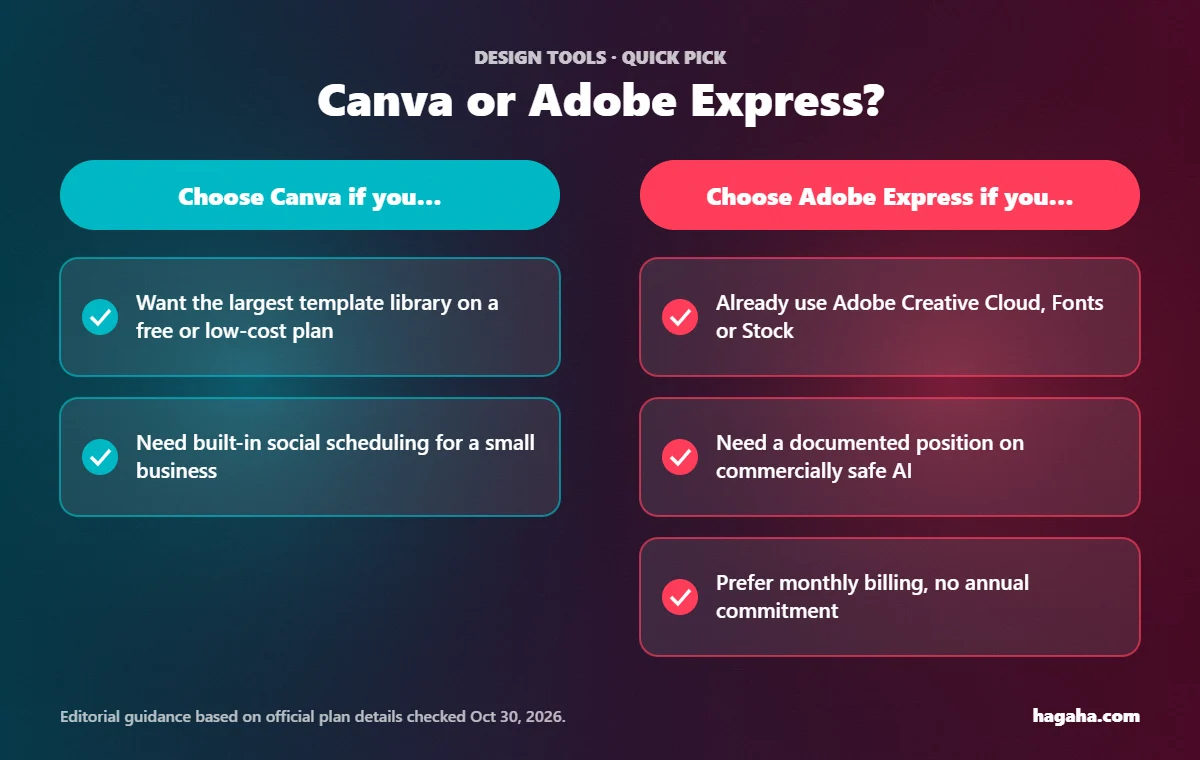
Choose Canva if you:
- Want the largest template library on a free or low-cost plan.
- Run social media for a small business and value built-in scheduling.
- Want one tool for social posts, presentations, documents and simple videos.
Choose Adobe Express if you:
- Already pay for Adobe Creative Cloud or use Adobe Fonts and Stock.
- Need a documented position on commercially safe AI images.
- Prefer monthly billing without an annual commitment.
You may not need either if you:
- Need print-production control (precise CMYK workflows, prepress). Professional tools are a better fit.
- Only make an occasional image. Both free plans will likely cover you.
Frequently asked questions
Is Canva or Adobe Express better for beginners? Both are beginner-friendly. Canva’s much larger template library usually means less starting from scratch. Adobe Express is equally approachable and integrates better with other Adobe apps.
Is Adobe Express really free? Yes, there is a free plan with 5GB of storage, 100,000+ templates and limited generative AI. Premium features such as 250 monthly generative credits and the full Adobe Stock library require the paid plan.
How much is Canva Pro in 2026? Canva’s US pricing page listed Pro at US$120 per year for one person when we checked on October 30, 2026. Canva also offers monthly billing. Prices vary by region and change over time.
Can I use AI-generated images commercially? Adobe states that outputs from its non-beta generative features can be used commercially. For Canva, check its current AI product terms. Neither company’s general statement replaces reading the licence for your specific use.
Conclusion
- Canva wins on breadth: more templates, more free assets and an all-in-one feel that suits small businesses.
- Adobe Express wins on ecosystem and AI clarity: Adobe Stock quality, Adobe Fonts, monthly billing, and a well-documented position on commercially safe AI.
- If you’re unsure, try both free plans on the same real task. The one that gets you to a finished design faster is the right choice.
References (checked 2026-10-30)
- Canva — Plans and pricing (US). https://www.canva.com/us/pricing/ (Free/Pro/Business inclusions; Pro US$120/yr; Business US$210/yr per person; storage; AI allowance wording.)
- Adobe — Adobe Express pricing. https://www.adobe.com/express/pricing (Free and Premium inclusions; US$9.99/mo; 250 generative credits; storage; version history; fonts; scheduling.)
- Adobe — Firefly FAQ. https://helpx.adobe.com/firefly/get-set-up/learn-the-basics/adobe-firefly-faq.md (training data; commercial use of non-beta outputs; enterprise IP indemnification.)
- Adobe — Our approach to generative AI with Adobe Firefly. https://www.adobe.com/fireflyapproach (no training on user content; Stock contributor compensation.)